

Client company records
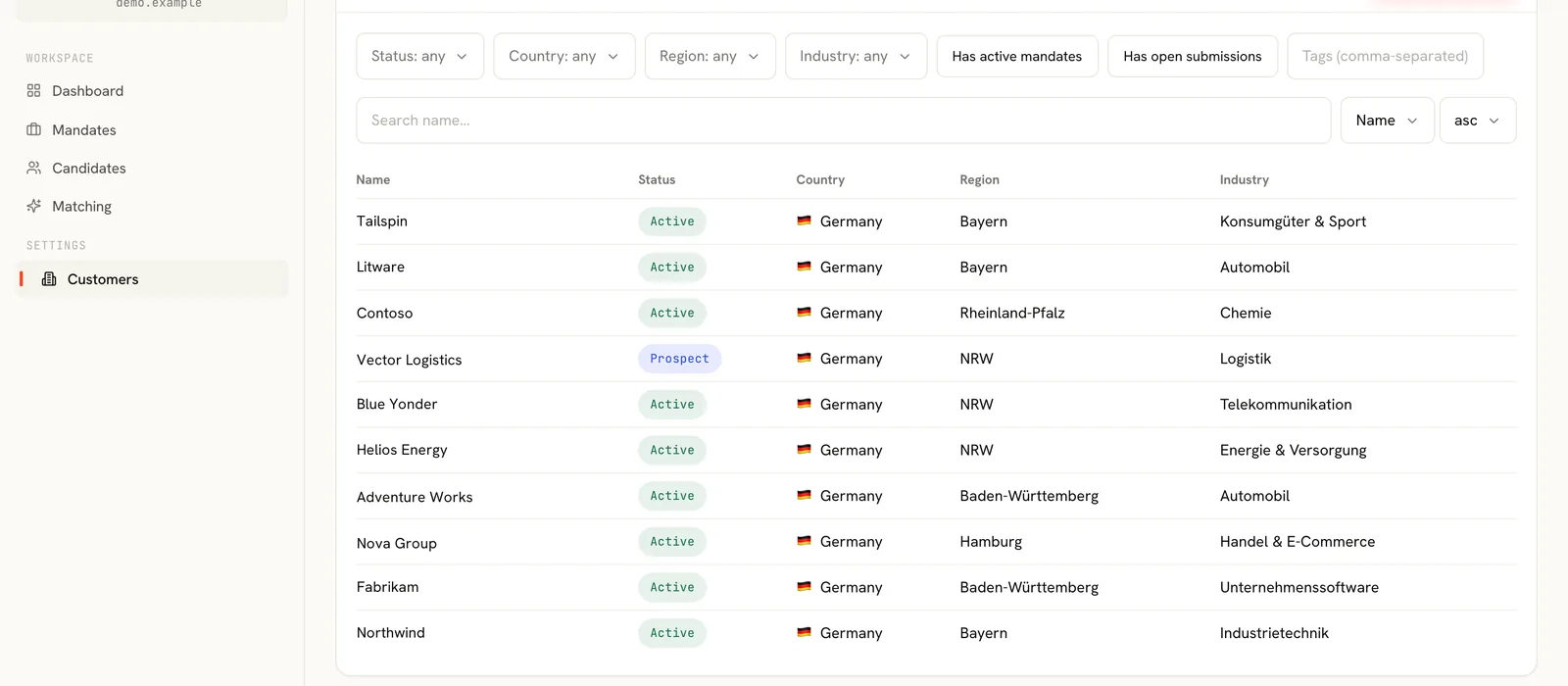
Company profile, industry context, locations and the internal owner of the relationship, with every mandate ever run for that client attached.
CRM & Customer Management
A generic CRM can tell you who you spoke to. It cannot tell you that this client rejected two candidates for the same missing qualification, or that the hiring manager on this search is the one who never replies before Thursday. RayCruit keeps account intelligence where the placements are.
The problem
Search firms usually adopt a general-purpose CRM for the commercial relationship and something else for delivery. The result is that the two most useful things a firm knows about a client — what they actually accept, and who really decides — are stranded in the tool that has no idea which mandates exist.
Customers in RayCruit are the backbone of delivery, not an address book. Each client company carries its contacts, its mandates, its commercial arrangements and its full activity history — and every one of those connects to the placement work performed underneath it.
Company profile, industry context, locations and the internal owner of the relationship, with every mandate ever run for that client attached.
Contacts carry explicit roles rather than a free-text job title field, so it is clear who is the hiring manager, who signs, who coordinates and who receives the shortlist.
Each mandate gets its own contact set drawn from the account, because the stakeholder map for a CFO search is rarely the stakeholder map for a plant manager search.
Success fee, retainer, fixed, hourly or subscription terms are recorded on the mandate, so delivery reporting and profitability discussions use the same numbers.
A business-level timeline across the client: mandates opened, candidates submitted, feedback received, placements closed.
When an account changes owner, the context transfers with the record instead of leaving with the previous recruiter.
Customer management is the first step of the chain and the last: it opens the mandate, and it receives the outcome.
Capture the company, the owning recruiter and the initial contact set.
Mark decision makers, coordinators and shortlist recipients so the team knows who to address.
The mandate inherits the account context and takes its own contact subset and commercial terms.
Submissions, feedback and placements post back to the account timeline automatically.
The next search for the same client starts with what the last one taught you.
A client running four parallel searches has one account view showing every pipeline, every submitted candidate and every outstanding piece of feedback.
When a partner leaves or an account is reassigned, the incoming owner reads the relationship history rather than rebuilding it from an inbox.
Terms are attached to mandates, so a quarterly account review can compare what was agreed with what was delivered.
Client context is read, not reconstructed, at the start of every new search.
Explicit contact roles mean shortlists reach the person who can act on them.
Each completed search makes the next one for that client faster and better targeted.
See it in motion
How the modules hand over to each other in the real product — customer and mandate, candidate and matrix, the workspace where a pairing is decided, and the material that goes to the client.
2 min
Continue across the platform
Structured search briefs with requirements, gates, commercials and a live pipeline.
Learn moreBranded, invitation-only access for named client contacts — no shared logins, no attachments.
Learn moreCRM-style search across every object, saved as one-click work queues.
Learn moreA demo follows one mandate across every module, which is the only way the connections become obvious.