

Overview
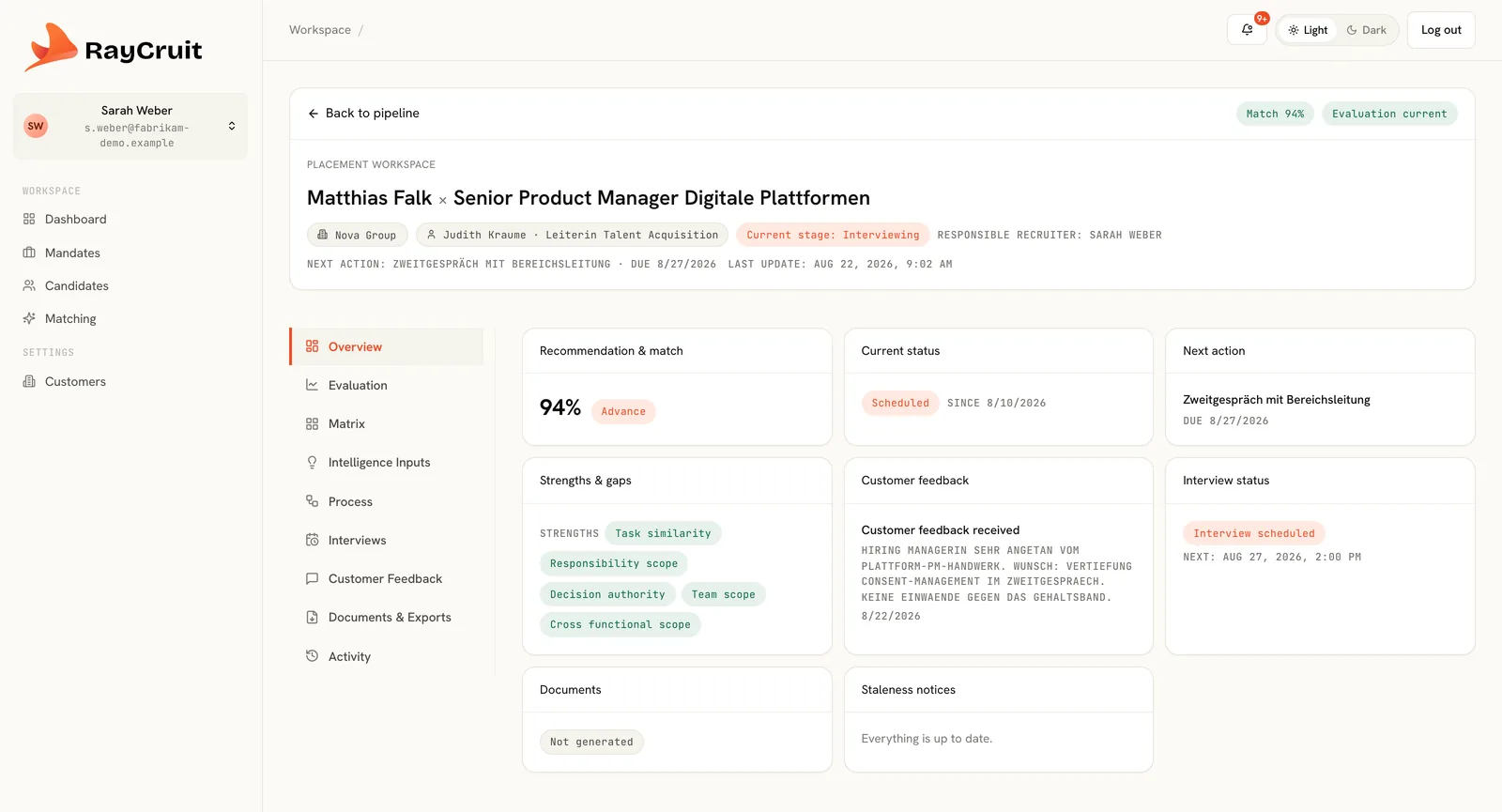
The state of this pairing at a glance: pipeline stage, match result, outstanding actions and what changed since it was last opened.
Placement Workspace
Candidates live in one list. Mandates live in another. The work — deciding whether this person is right for this search, preparing them, presenting them and handling what the client says back — belongs to the pairing. RayCruit gives that pairing its own workspace.
The problem
Ask a recruiter why they are putting this candidate forward for this mandate and you get a considered answer. Ask the system and you get a pipeline stage. The reasoning, the interview notes, the client's reaction and the document that was sent are scattered across four tools and one inbox — which is why the answer disappears the moment that recruiter is on holiday.
Opening a candidate against a mandate opens a complete work surface. Everything relevant to that pairing is present, and everything produced from it stays attached.
The state of this pairing at a glance: pipeline stage, match result, outstanding actions and what changed since it was last opened.
Structured recruiter assessment — the judgement that complements the computed match, captured as input rather than as a note.
The full criterion-by-criterion comparison between mandate requirements and candidate evidence, including gate results and staleness state.
Pipeline progression for this candidate on this mandate, with the next action and who owns it.
Scheduled interviews, outcomes and notes recorded against the pairing rather than a personal calendar. Scheduling, rescheduling, completing and cancelling all leave a dated trace, so a move that happened three months ago is still visible.
Customer feedback on the submitted candidate captured where the decision was made — and reusable as account intelligence later.
A complete history of what happened on this pairing, including generated documents and who produced them. The same events also appear under the candidate — grouped by mandate — and under the mandate, grouped by candidate, because they are one record read from three angles rather than three copies that can drift apart.
The workspace is the unit of daily recruiter work: open it, advance it, close it.
Add them to the pipeline and the workspace is created for that pairing.
Rule-based comparison across dimensions and criteria, with gates evaluated first.
Record the judgement the data cannot compute — motivation, context, risk, timing.
Move through longlist and shortlist, schedule interviews and record outcomes.
Generate the client documents, submit, then record what the client said back.
A partner reviewing a shortlist before it goes out reads seven consistent workspaces rather than chasing four recruiters for context.
The matrix highlights where evidence is thin, and those gaps become the questions the interview needs to close.
A candidate rejected for one mandate carries their evaluation forward, so the next suitable search starts from what is already known.
The 'why' of every submission stays with the work instead of with the individual.
Evaluation, interviews, feedback and delivery happen on one surface.
A team lead can inspect placement decisions consistently across the whole firm.
See it in motion
How the modules hand over to each other in the real product — customer and mandate, candidate and matrix, the workspace where a pairing is decided, and the material that goes to the client.
2 min
Continue across the platform
Rule-based scoring across 12 dimensions and 90 criteria, with evidence on every line.
Learn moreStructured search briefs with requirements, gates, commercials and a live pipeline.
Learn moreAnonymised CVs, fit explanations, executive summaries and client booklets on your brand.
Learn moreA demo follows one mandate across every module, which is the only way the connections become obvious.