

Cross-object filtering
Filter candidates, mandates, customers and pipeline state on structured fields — skills, languages, availability, stage, owner, client, commercial model and more.
Advanced Filters & Saved Views
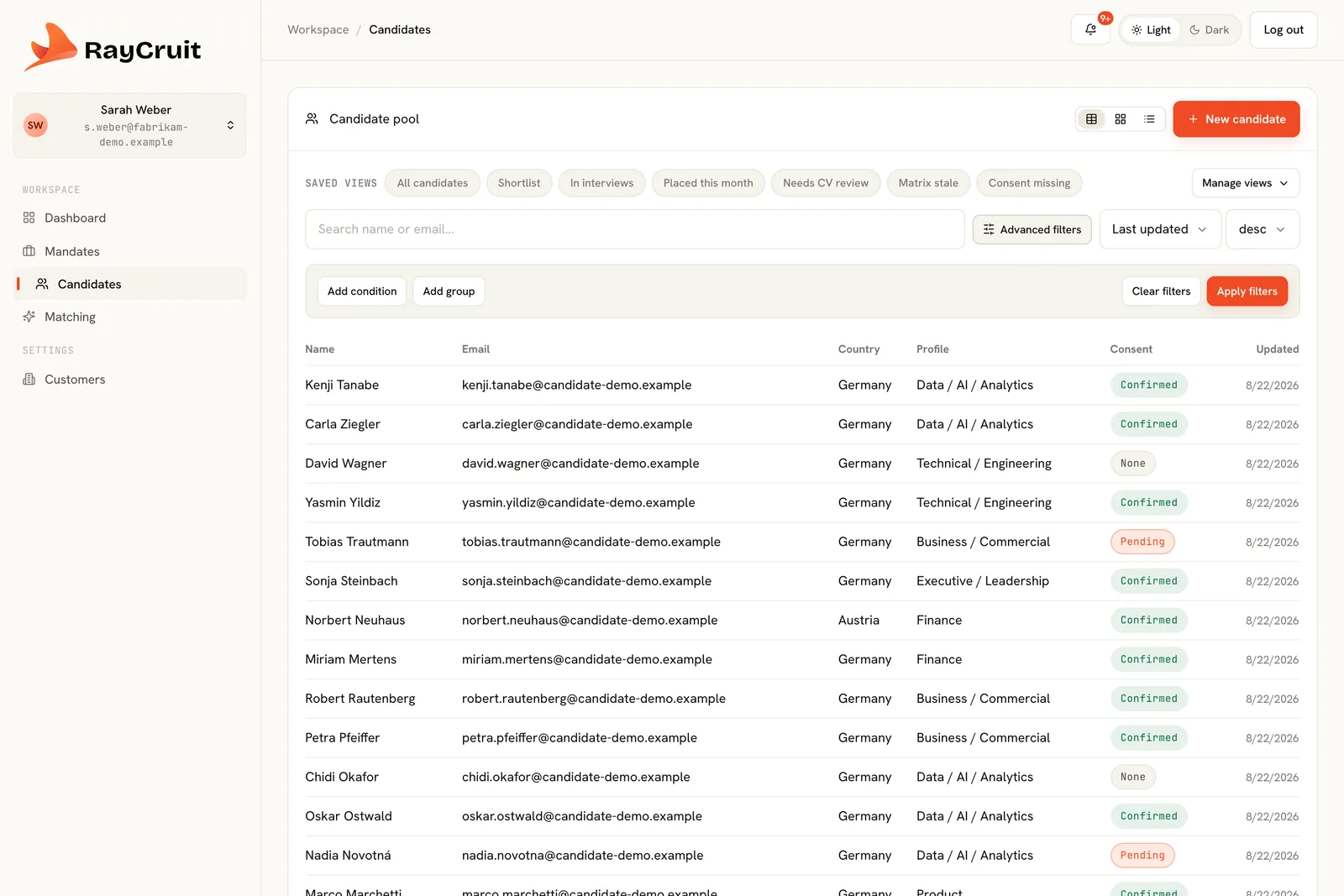
Every field RayCruit captures is filterable, and any filter can be saved as a named view the whole team shares. The result is that the first question of the morning stops being 'where did we leave this' and becomes a list with a number next to it.
The problem
Without shared queues, every recruiter keeps a private mental list of what needs attention — who is waiting on a client response, which interview is tomorrow, which candidate never returned their consent. It works until the list gets long, someone is away, or a client asks for a status update on a search nobody has touched in nine days.
Advanced filters reach every structured field the platform holds, across objects. Saved views make the useful combinations permanent and shared, so the team works from the same queues.
Filter candidates, mandates, customers and pipeline state on structured fields — skills, languages, availability, stage, owner, client, commercial model and more.
Any filter combination becomes a named view. Views are shared, so 'Waiting for customer' means the same thing to everyone in the firm.
Each view carries a live count, which turns the sidebar into a genuine to-do list rather than a set of bookmarks.
Shortlist, interviews this week, waiting for customer and placed this month cover the day-to-day rhythm of a search team.
Matrix stale, consent missing and mandates with no candidates surface the operational problems that quietly damage delivery.
Views can serve the whole firm or a single recruiter's workload, so oversight and daily work use the same mechanism.
The pattern is always the same, which is what makes it stick.
Which shortlisted candidates are waiting on client feedback longer than a week?
Combine pipeline stage, submission state and time in stage.
Name it and make it available to the team.
The view carries a live count and updates as the pipeline moves.
Team leads use the same views for oversight, so everyone reads the same numbers.
Interviews this week and waiting for customer replace a status round-table that used to take forty minutes.
A consent missing queue catches gaps before a candidate profile is sent to a client rather than after.
Mandates with no candidates and matrix stale expose the searches that have quietly stopped moving.
The pipeline answers the status question instead of a person reconstructing it.
A saved view means everyone measures 'waiting for customer' the same way.
Hygiene queues surface issues while they are still cheap to fix.
See it in motion
How the modules hand over to each other in the real product — customer and mandate, candidate and matrix, the workspace where a pairing is decided, and the material that goes to the client.
2 min
Continue across the platform
Structured search briefs with requirements, gates, commercials and a live pipeline.
Learn moreThe candidate × mandate workbench for evaluation, process, feedback and delivery.
Learn moreClient companies, contacts, roles and the relationship history behind every mandate.
Learn moreA demo follows one mandate across every module, which is the only way the connections become obvious.